Licensed to be used in conjunction with basebox, only.
// admin
Daily Announcements
With a daily announcement you show all users of your organisation a short, time-limited notice, for example about maintenance or a new app. An announcement has at most 150 characters; up to three announcements can be active at the same time.
Daily announcements announce maintenance and changes
- announce planned maintenance and outages,
- point out new apps or changed rules,
- prepare a change, for example making two-factor authentication mandatory.
For the permanent welcome text for new users, use the welcome message instead.
Announcements are under Administration → Daily Announcement
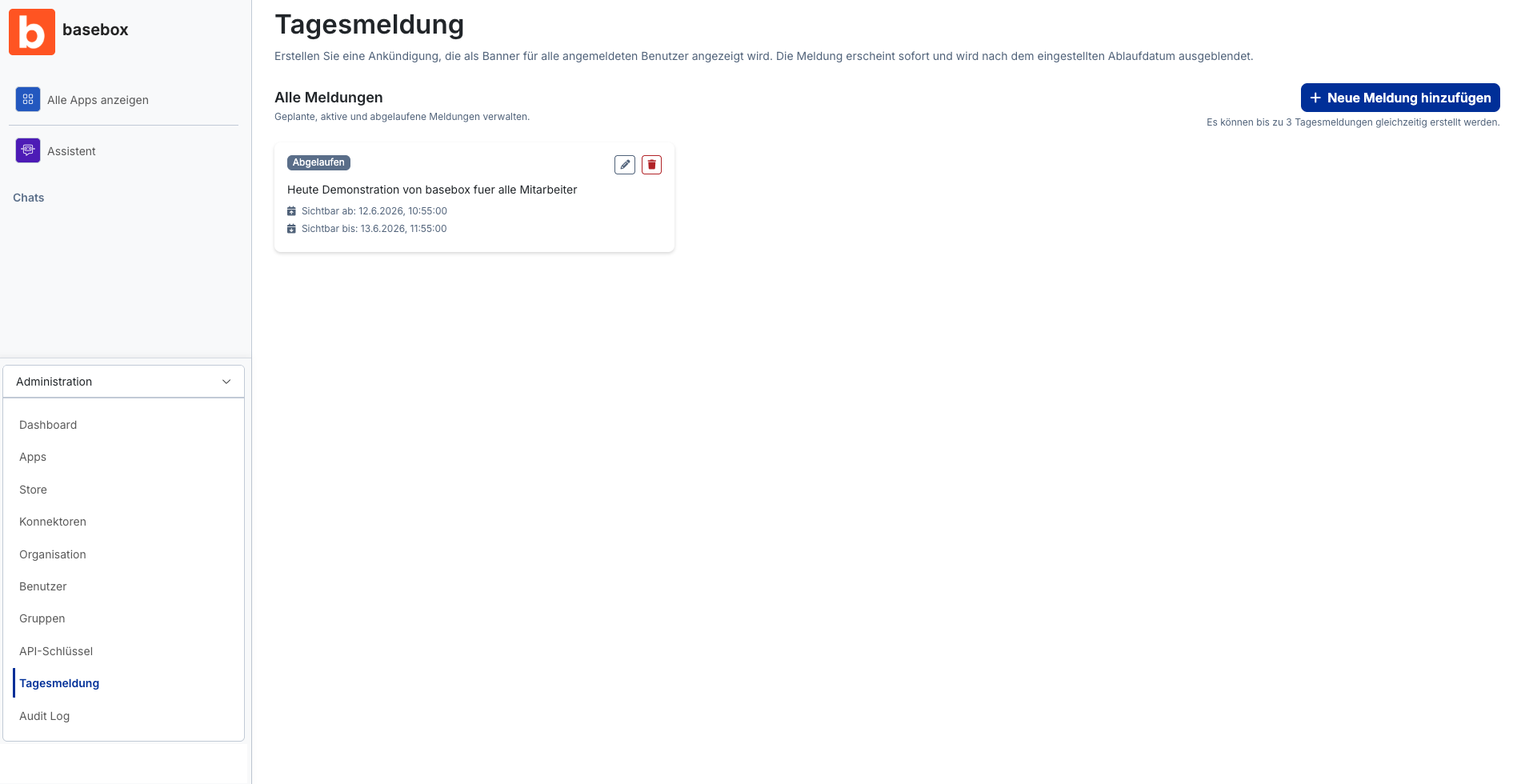
Open Administration → Daily Announcement in the sidebar. The overview shows planned, active and expired announcements.
Creating and editing daily announcements
Creating a daily announcement
- Open Administration → Daily Announcement.
-
Click "Add new announcement".
-
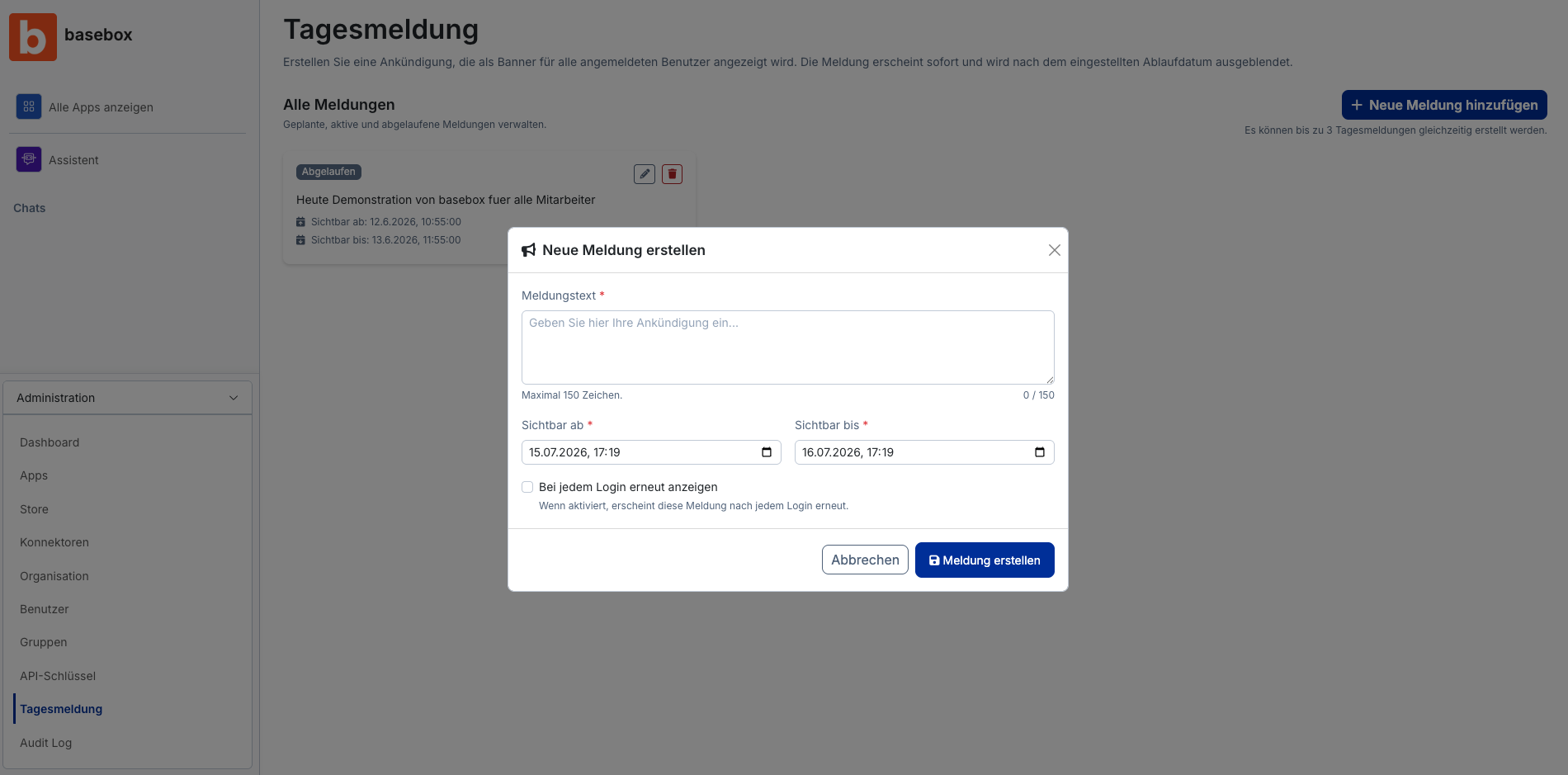
Enter the announcement text (at most 150 characters).
- Set the visibility: "Visible from" and "Visible until" (both required).
-
Optional: enable "Show again on every login". The announcement then reappears at every sign-in.
-
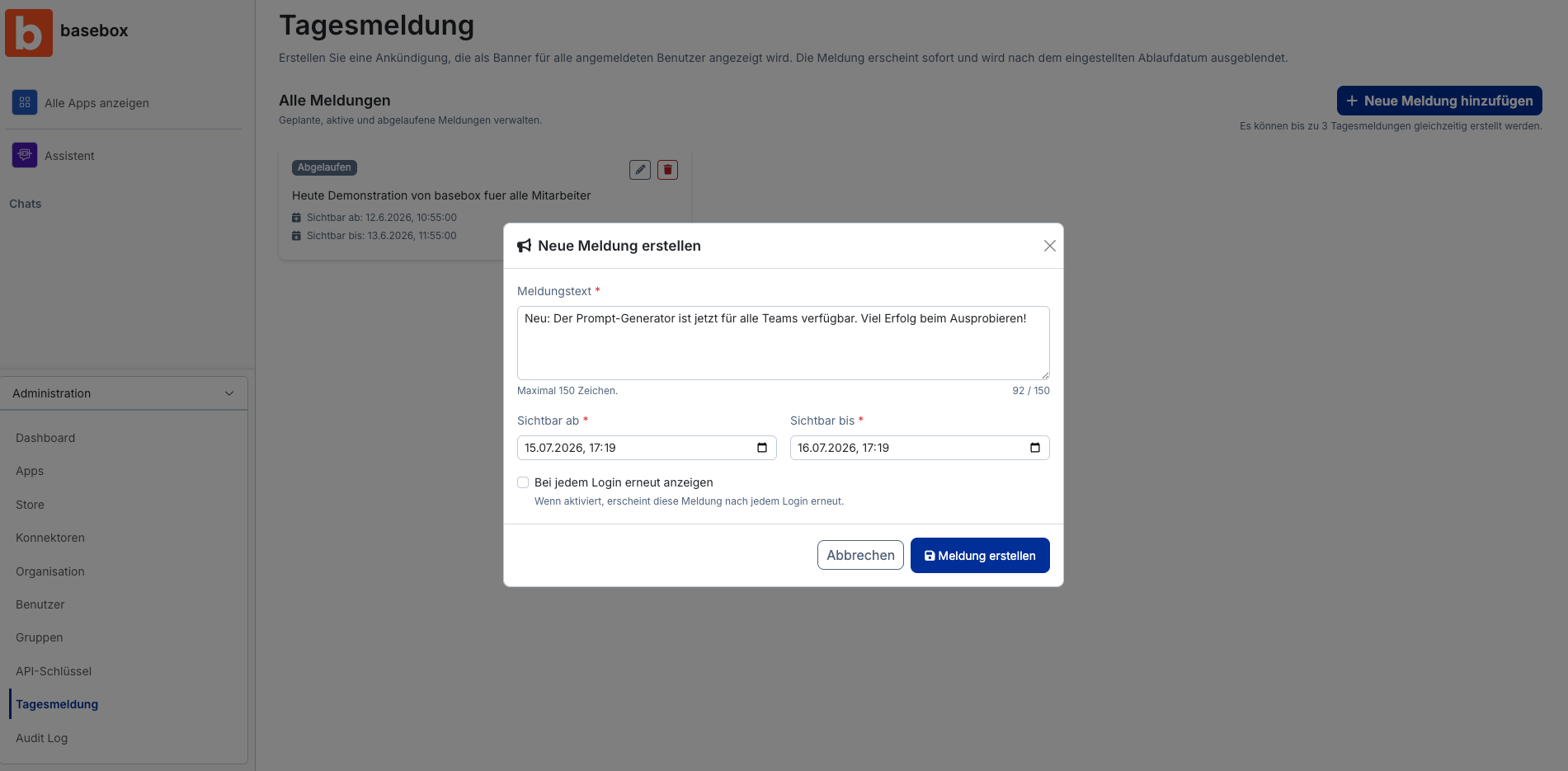
Click "Create announcement".
Editing a daily announcement
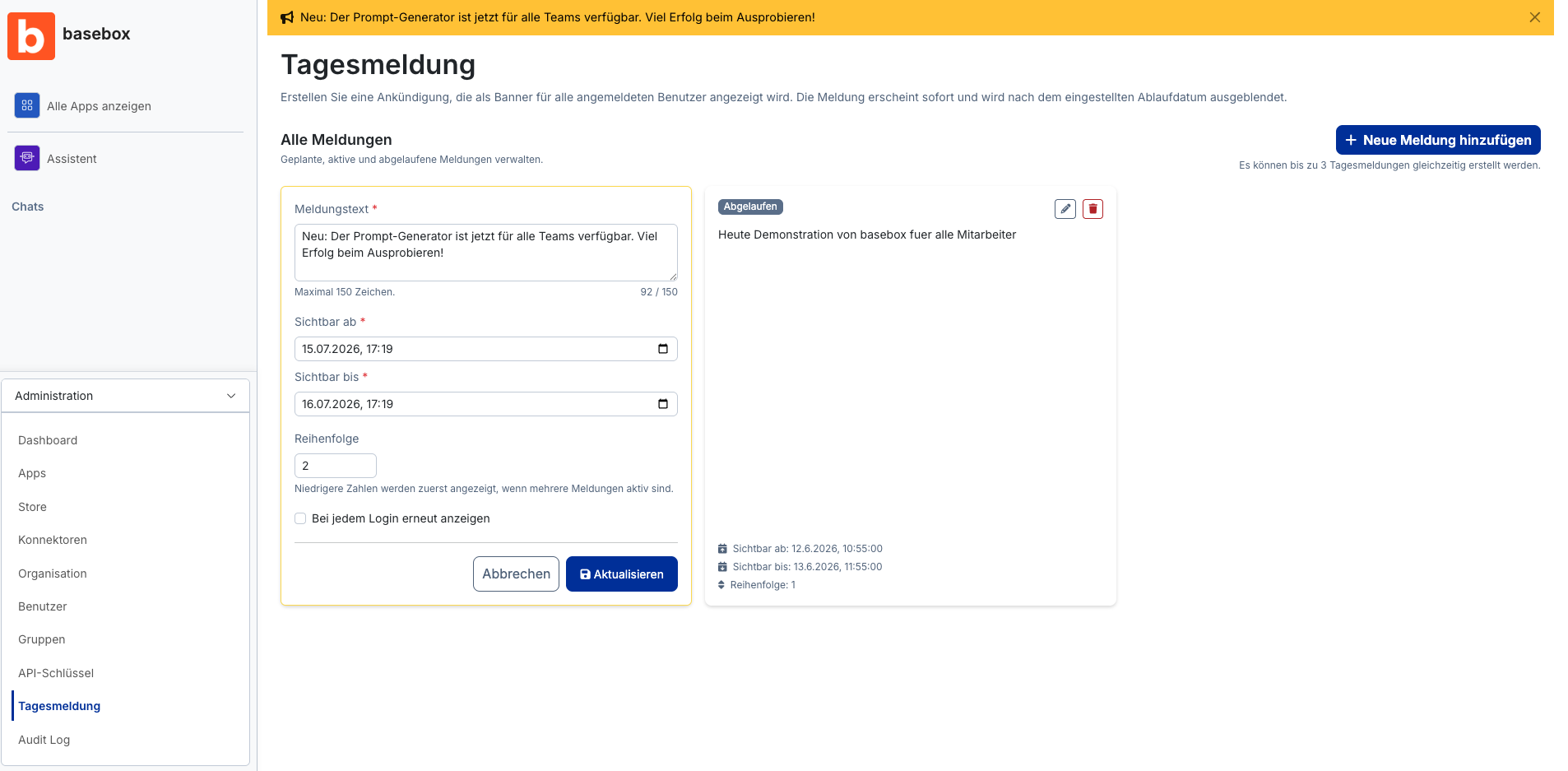
- Select an announcement in the overview (planned, active or expired).
- Click the pencil icon.
-
Make the changes and click "Update".
Setting the order
If several announcements are active, lower numbers appear first. You set the order while editing the announcement.
At most three announcements are active at once
Note
- At most 3 daily announcements can be active at the same time.
- Announcements are hidden automatically once "Visible until" has passed.
- Changes take effect immediately for all users.
- Creating, changing and dismissing announcements is recorded in the Audit Log.
Frequently asked questions
Can I show an announcement to one group only? No, daily announcements apply to all users of the organisation.
How long may an announcement be? At most 150 characters.
What happens to expired announcements? They are no longer shown but remain in the overview and can be edited.
Next step: Audit Log
Need help? Contact support