Copyright © 2022-2026 basebox GmbH, all rights reserved.
Licensed to be used in conjunction with basebox, only.
Licensed to be used in conjunction with basebox, only.
// getting started
Editing profile information
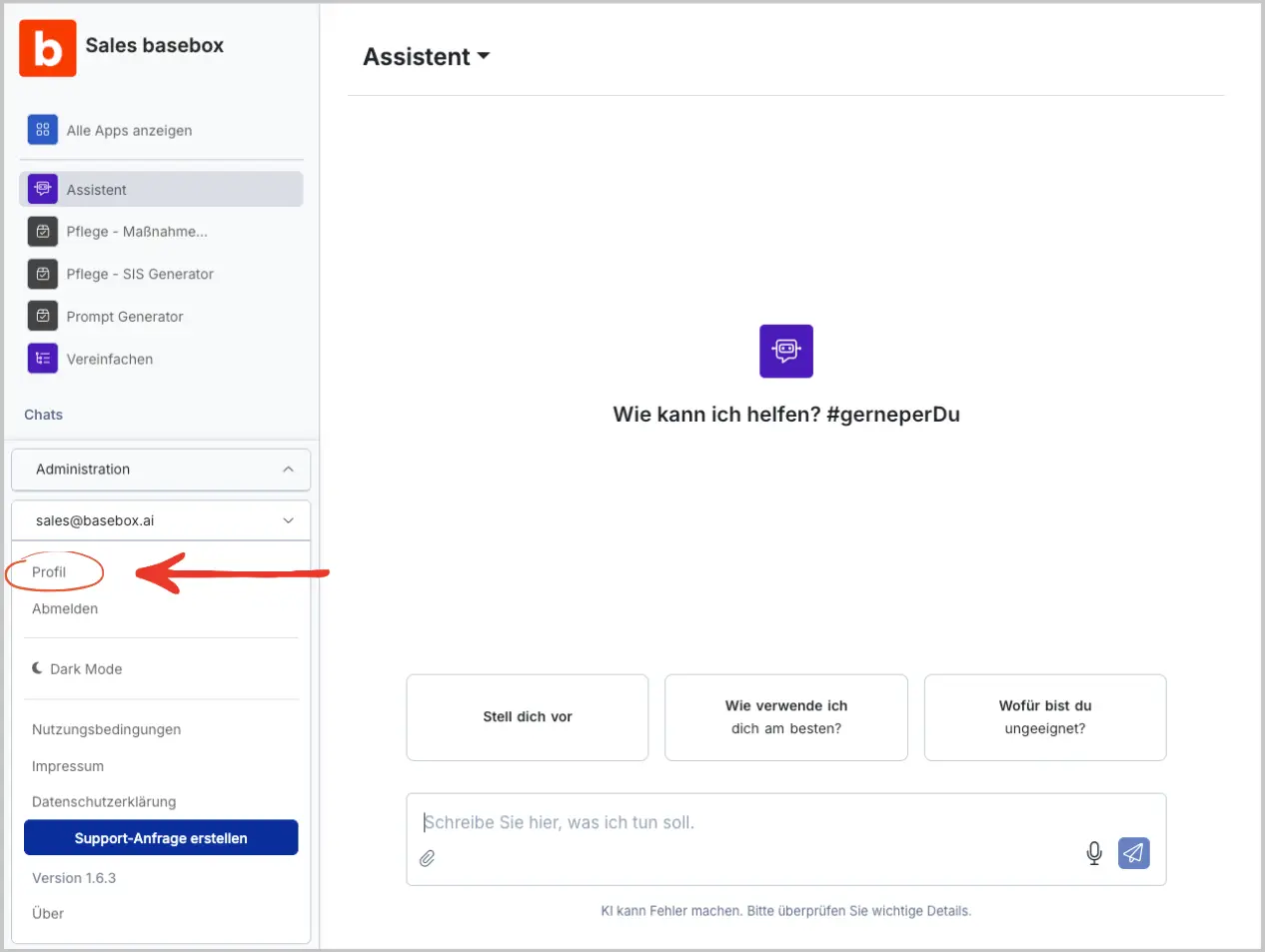
In your profile you change your first name, last name and interface language. You open it via your e-mail address at the bottom left of the sidebar.
Change your name and language
- Click your e-mail address at the bottom left and choose Profile.
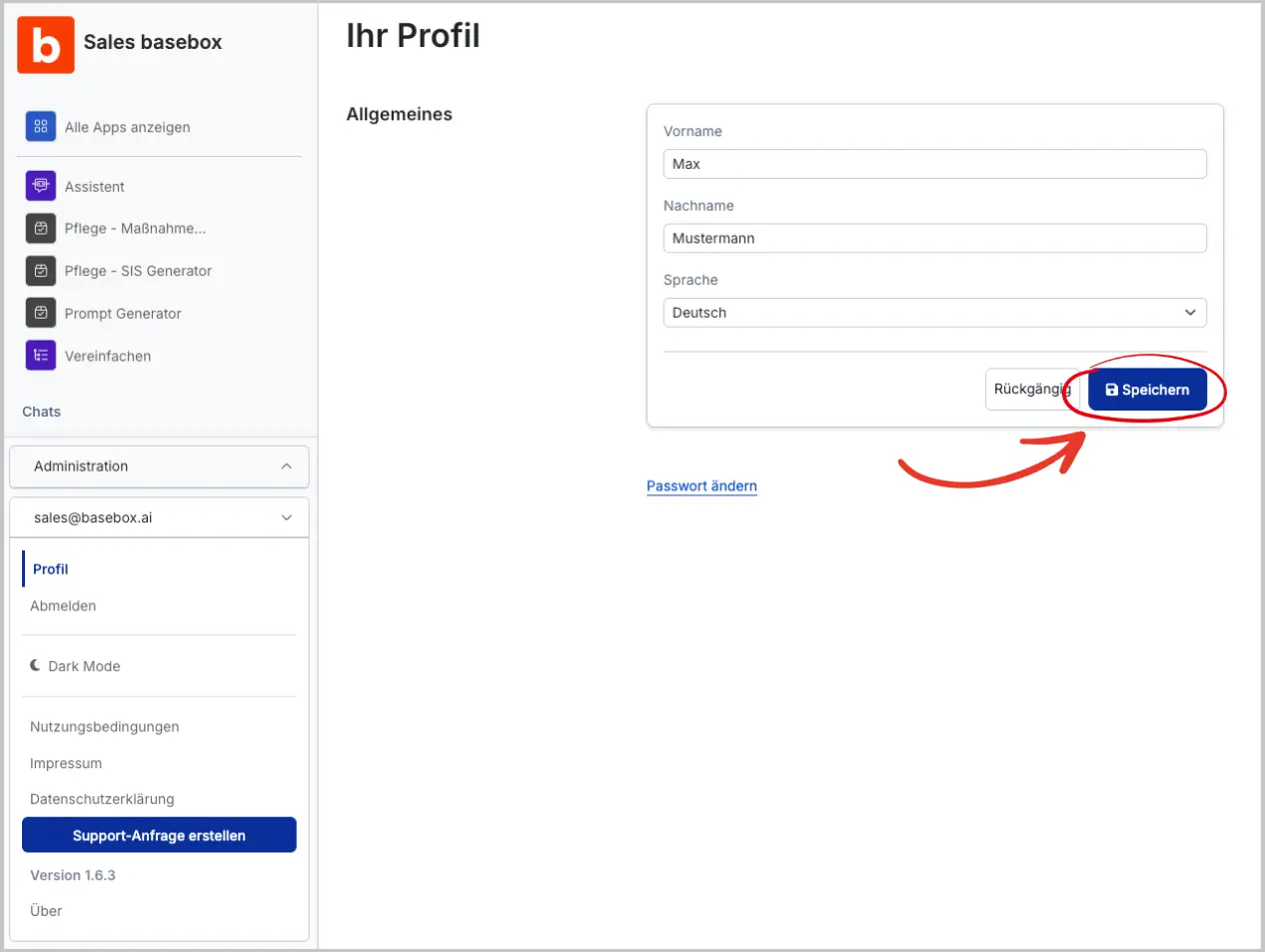
- Change your first name, last name or language.
- Click Save at the top right. Undo discards the changes.
The changes take effect immediately.
Support changes your e-mail address
You cannot change your e-mail address in the profile. Write to support.
You delete your own account in your profile
The Delete account section is at the bottom of the profile. Clicking Delete account removes your account permanently; this cannot be undone.
Your profile also contains Personalization, where you give the assistant information about yourself and your work.
Next step: Password management · Personalization
Need help? Contact support