Licensed to be used in conjunction with basebox, only.
// ai chat
Reasoning Effort
Brief description
With models that support it, you can decide how thoroughly the assistant should think before it answers. This capability is called reasoning; how much of it is applied is what you control with the reasoning effort. You can follow its train of thought in a separate area and collapse it at any time.
What is reasoning used for
For complex tasks, more reasoning usually produces better answers – analyses, multi-step conclusions, or code, for example. For simple questions a lower level is enough, and you get an answer more quickly.
Which level should I choose?
High – when the task involves several steps, when trade-offs have to be weighed, or when the result needs to be especially dependable.
Low – for short pieces of information, rewording, or questions whose answer is obvious anyway.
Medium is the default and the right choice for most questions.
More reasoning costs time and tokens
A higher reasoning level not only increases the response time, it also consumes more tokens – the assistant produces additional text before the actual answer. If usage limits apply in your organization, choose the level to match the task.
Where to find the setting
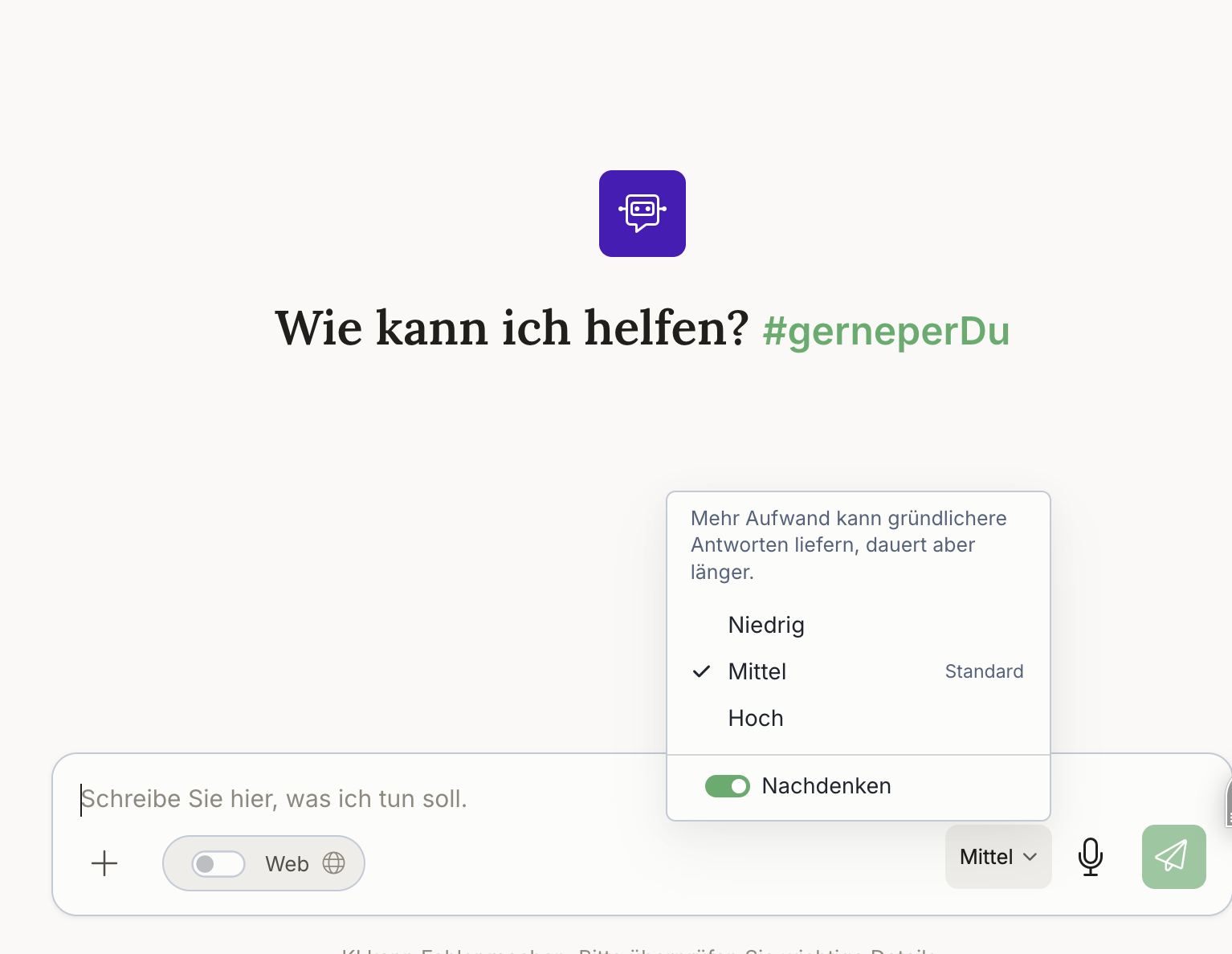
You'll find the setting directly in the chat: at the bottom of the input bar, a selector shows the current level – Medium by default. Clicking it opens the selection.
Three levels are available there – Low, Medium (marked as the default) and High – along with the Thinking toggle, which lets you switch reasoning off entirely. The note in the menu reads: "More effort can produce more thorough answers, but takes longer."
Administrators set the default per app and installation-wide.
Step by step
- Open a chat with a model that supports reasoning.
- At the bottom of the input bar, click the selector showing the current level.
- Choose Low, Medium or High – or switch reasoning off entirely with Thinking.
- Ask your question.
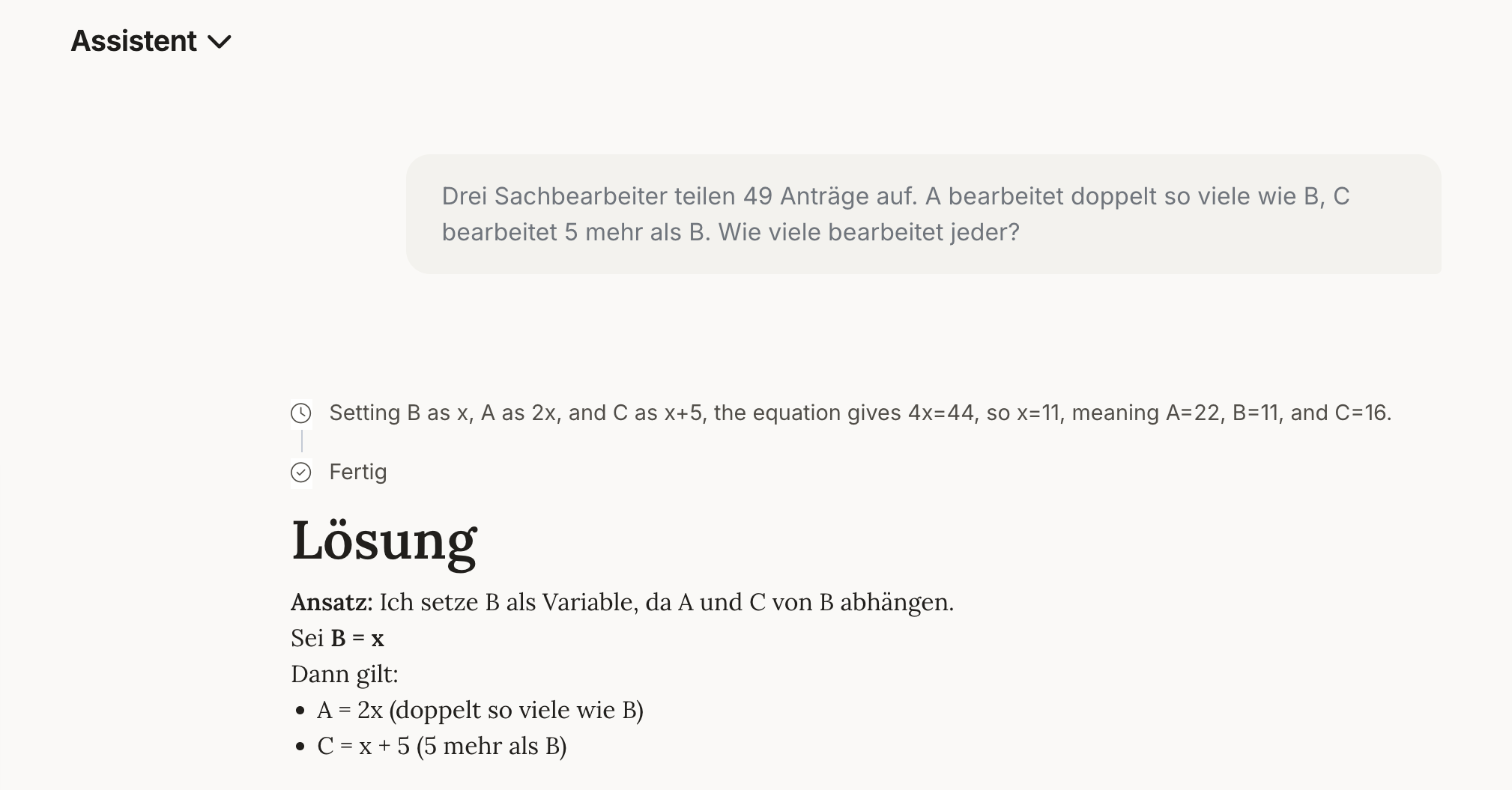
- Open the reasoning area if you want to see the train of thought – or collapse it when you only need the answer.
Notes
Note
- Not every model supports reasoning. If the selection isn't available, the chosen model works without reasoning.
- Also available via the API: reasoning can equally be controlled through the OpenAI-compatible API.
- The train of thought is an intermediate deliberation by the model, not part of the actual answer – you don't have to read it.
Frequently asked questions
Does more reasoning cost more time? Yes, a higher level increases the response time.
Does more reasoning also consume more tokens? Yes. A higher reasoning effort leads to higher token consumption, in addition to the longer response time.
Can I switch reasoning off entirely? Yes, using the Thinking toggle in the selection menu.
Can I hide the train of thought? Yes, the reasoning area can be collapsed at any time.
Why don't I see a reasoning selector? Then the model you are currently using does not support reasoning, or your organization has set a fixed default.