Licensed to be used in conjunction with basebox, only.
// ai chat
Context Window
The context window is the amount of content the assistant can keep in view at one time. That includes everything a chat accumulates: your questions, the assistant's answers, and every uploaded document.
It is not measured in megabytes but in tokens – small text units roughly equivalent to a part of a word. What counts is the amount of text, not the file size on disk. A 2 MB PDF full of dense prose can exhaust the context window, while a 10 MB Excel file with only a few filled cells goes through.
Documents that are too long or too large
When content cannot be processed in one step, basebox aborts the processing and shows a processing error. The message does not name the cause – it only suggests trying again or contacting support.
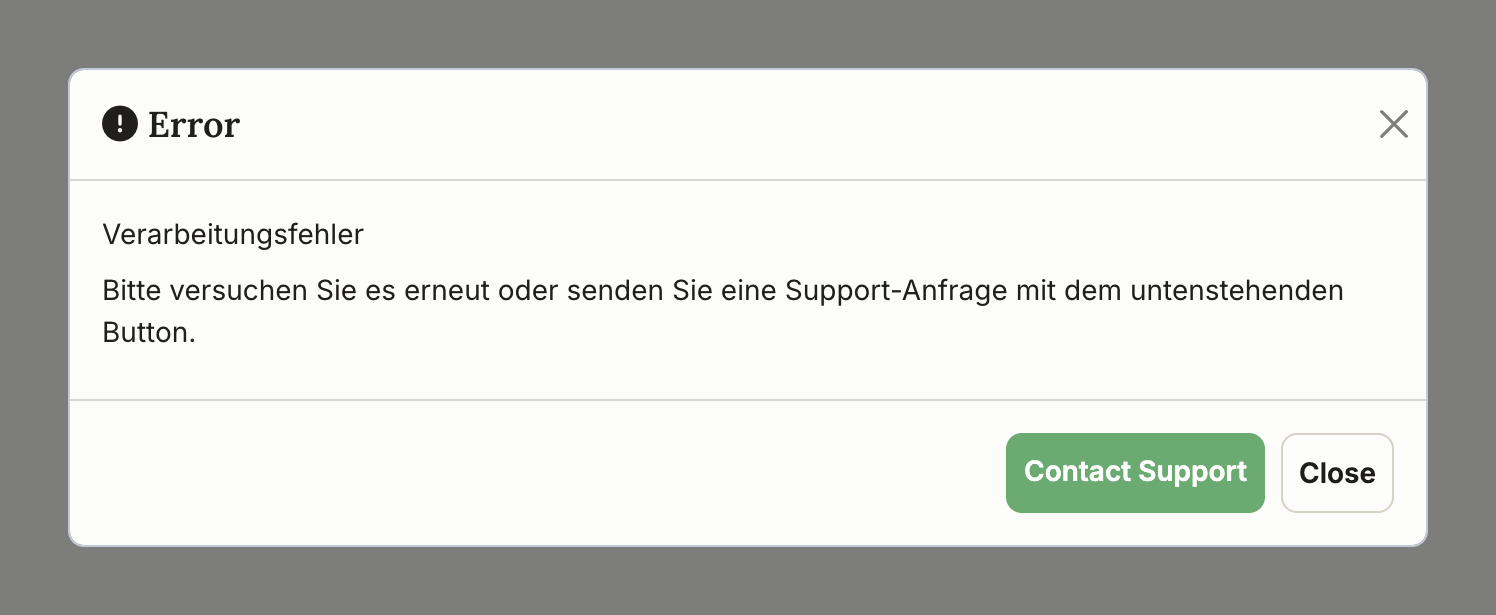
If you have just uploaded a large document or been working in a long-running chat, the context window is the likely cause. A second attempt with the same content will produce the same result – the only thing that helps is reducing the amount of content. There are three ways to do that, and you can combine them:
- Split the content – Break the document into sections and work through them one after another. For very long texts, have each section summarized and continue with the summaries alone.
- Upload less at once – Upload only the files you need for the question at hand. Often it is enough to copy and paste the relevant passage instead of uploading the whole file.
- Use an app – For document collections that are permanently large or complex, an app is the better route. There the documents sit in a knowledge base and are searched selectively instead of being loaded into the context window in full. See Creating a New App.
With Excel files it also pays to take a look before uploading: every cell counts as content, including empty ones. Removing empty rows and columns as well as unneeded worksheets often makes the difference here.
A more detailed version of the message
In some cases a detailed notice appears instead of the generic processing error: „Der Inhalt ist zu umfangreich, um in einem Schritt verarbeitet zu werden. Dies kann auch bei kleinen Dateien passieren, wenn sie viele Informationen enthalten." (The content is too extensive to be processed in one step. This can also happen with small files if they contain a lot of information.) It names the same remedies and additionally offers a New Chat button.
Long-running chats: a new chat frees up space
The context window does not only fill up through individual large files – it also fills gradually. Every message and every document in a chat continues to take up space, even when it has long since stopped mattering for your current question. The longer a chat runs, the less room is left for new content, and the more the quality of the answers suffers.
A new chat starts with the full context window again. The previous chat remains in your history and can be reopened at any time.
Recommended practice
For a new topic, start a new chat rather than continuing a very long one. It costs you one click and produces more focused answers.
Reference values
| Content | Rough guideline |
|---|---|
| approx. 50 pages | |
| Excel | approx. 500 rows |
| Plain text | approx. 100,000 characters |
These values are an orientation, not fixed limits. A densely printed 30-page PDF can already be too much, while a loosely set 80-page one may still go through. What matters is always the actual amount of text – and how much was already in the chat before it.
Text volume counts, not file size
"Too extensive" does not mean "too many megabytes"
The message refers to the amount of text (tokens), not to the file size. Merely shrinking a file therefore usually does not solve the problem – the text it contains stays the same.
Long answers are not cut short
The context window limits the amount of input content. The length of the answer is not affected by it – long answers are no longer cut short.
Frequently asked questions
Why is a small file sometimes still too large? Because file size says nothing about the amount of text. A slim PDF can contain a great deal of text, a large Excel file very little. What is counted is the text, not the megabytes.
Does compressing the file help? No. Compressing makes the file smaller on disk, not the text inside it. The only effective approach is to reduce the amount of content itself – split it, shorten it, or use only the relevant parts.
Do I have to upload my documents again in a new chat? Yes. A new chat starts with an empty context window – that is what frees up the space. If you need the same documents permanently, it is better to place them in an app's knowledge base.
Next step: Chat history & data
Still having trouble with large documents? Contact support