Licensed to be used in conjunction with basebox, only.
// admin
App Approval
App approval determines who may use and edit an app: only the person who created it, selected users and groups, or the whole organisation. As an administrator you can change the approval of every app in the organisation.
Approvals restrict apps to their audience
- make a department app accessible only to the responsible team,
- provide an app to everyone in the organisation,
- decide who may maintain an app ("Use and Edit") and who only uses it ("Use"),
- restrict apps with a sensitive knowledge base to a small group.
Approvals can be managed by the person who created the app (for their own apps) and by administrators (for all apps).
Approval is in the app's ⋮ menu
As an administrator: Administration → Apps → ⋮ → App Sharing. There you reach every app of the organisation, including apps by other creators and the bundled apps.
As the creator of an app (also without the administrator role): All apps → ⋮ → App Sharing for your own app.
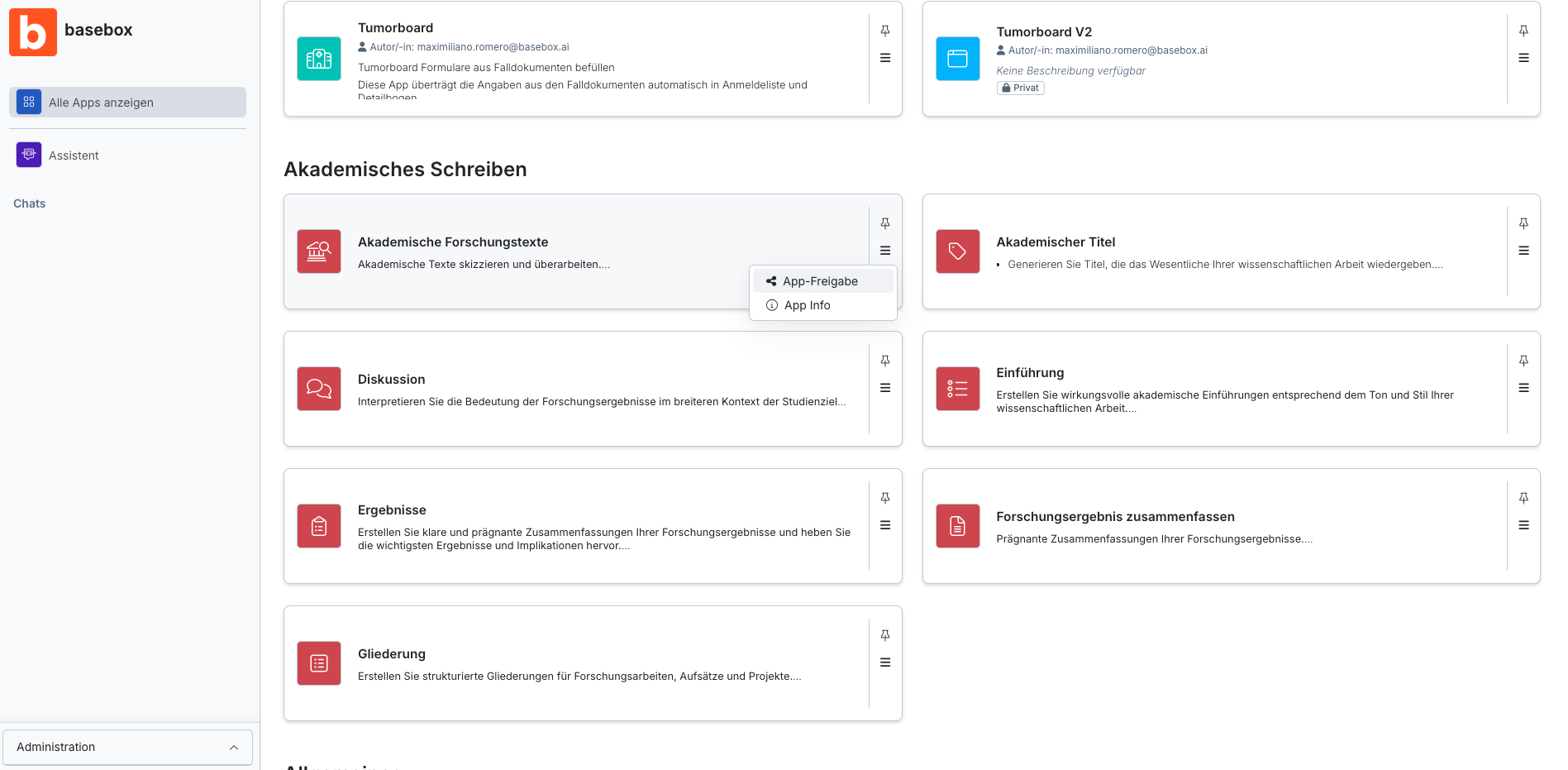
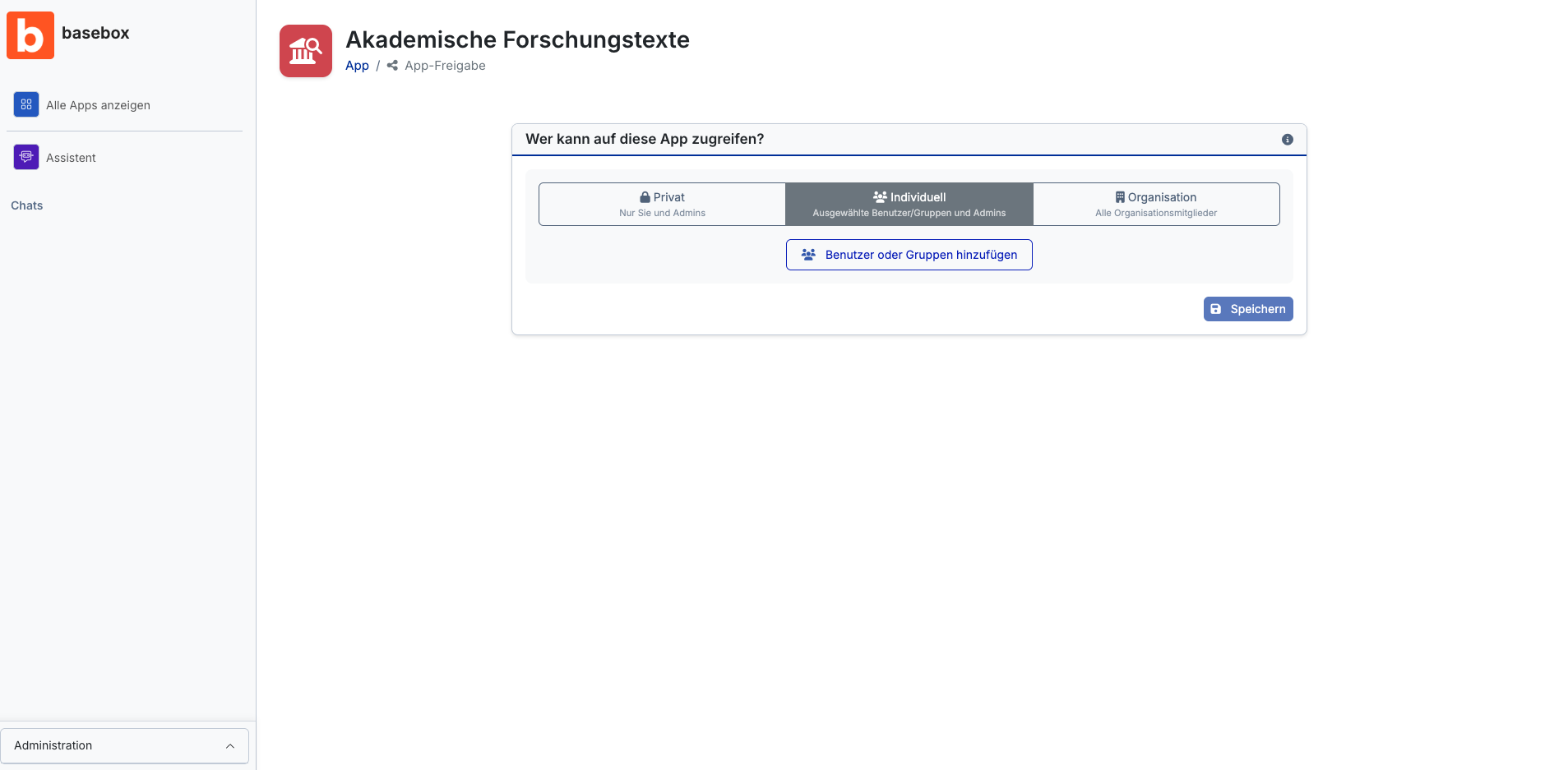
Sharing an app
- Open Administration → Apps, click ⋮ for the app and select App Sharing.
- Choose the approval scope:
- Private – only the person who created the app (and administrators). For drafts, tests and confidential content. Every new app is private at first.
- Custom – only selected people and groups. For team and department apps.
- Organization – all users of the organisation, including people who join later. See Publishing apps.
- For Custom: click Add. In the dialog, search the Users and Groups tabs by name or e-mail, mark the entries and click Add.
- In the Shared with list, set the permission per entry:
- Use – open and use the app, ask questions.
- Use and Edit – additionally change the description, documents and app settings.
- Click Save at the top right.
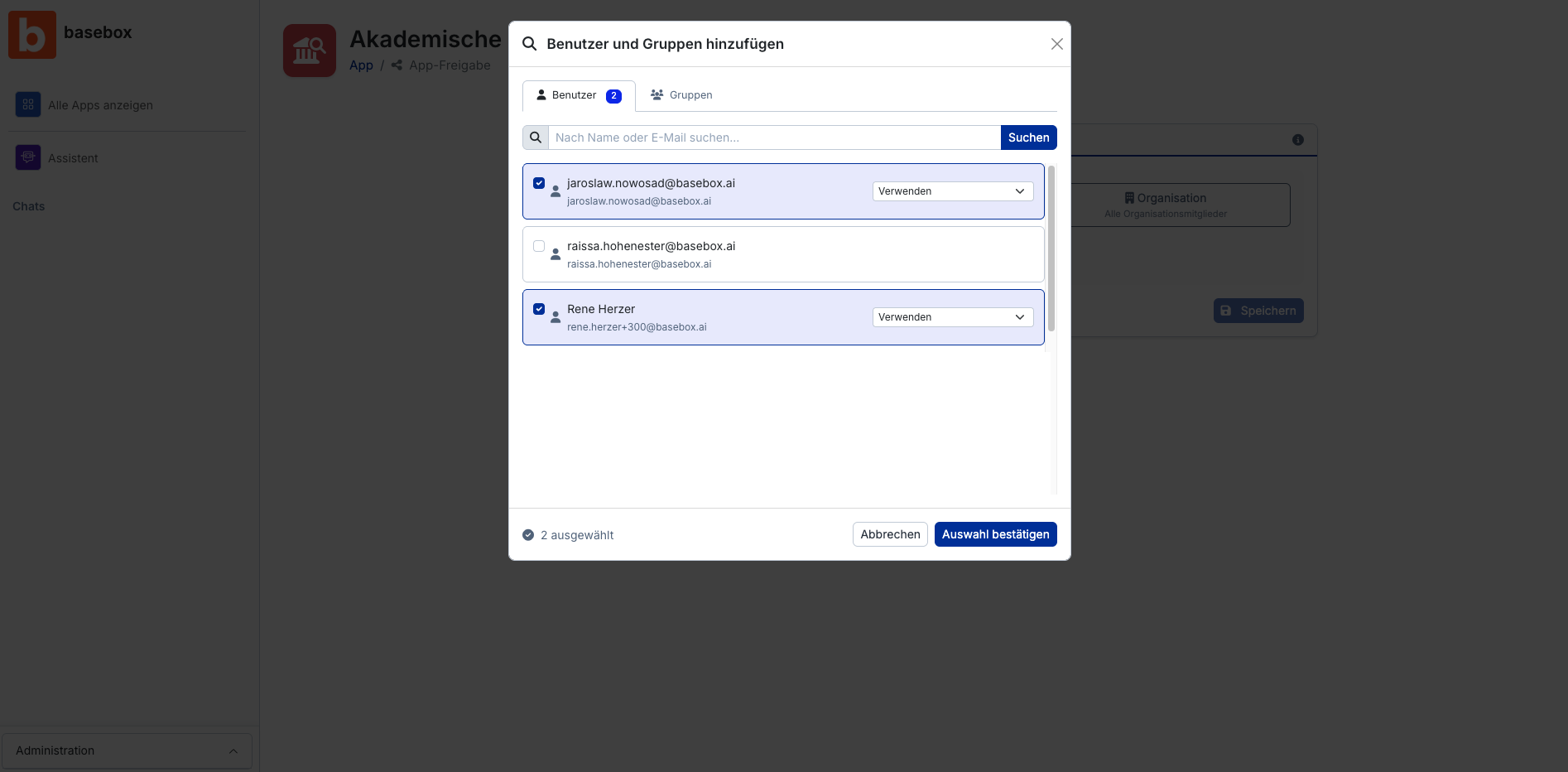
The change takes effect immediately. Users find shared apps under All apps.
Note
- Use and Edit does not allow changing approvals or deleting the app. Only the person who created the app and administrators may do that.
- Groups instead of individuals: anyone who joins a group automatically gets access; anyone who leaves it loses it. You create groups under Groups.
- Anyone who may use the app sees all documents in its knowledge base. Check the knowledge base before sharing widely, see Knowledge bases.
- Approvals cannot be time-limited and individual groups cannot be excluded.
- Administrators always have full access to all apps.
Tip
Start with narrow approvals ("Use", few groups) and widen them as needed. It is easier to grant access than to revoke it.
Frequently asked questions
Can I change approvals later? Yes, at any time. The change takes effect immediately.
What happens if I change an app from "Private" to "Organization"? All users of the organisation immediately gain access and see the app under All apps.
Can users with "Use and Edit" delete the app? No. Only the person who created the app and administrators can delete it.
Can others see my private apps? No, private apps are only visible to you and administrators.
Can I limit approvals to a time period? No. Approvals remain active until you change them.
Next step: Publishing apps · Knowledge bases
Need help? Contact support