Licensed to be used in conjunction with basebox, only.
// admin
API Keys
With an API key, applications, scripts and tools access basebox via the OpenAI-compatible API. As an administrator you create and delete your organisation's keys and thereby decide whether such access exists, how many keys there are and for whom.
Keys connect basebox to your own tools
With an API key, your own applications, editor extensions or coding agents use your organisation's models with authentication, without a person signing in. This lets you connect basebox to your own tools or automated processes.
Keys are under Administration → API keys
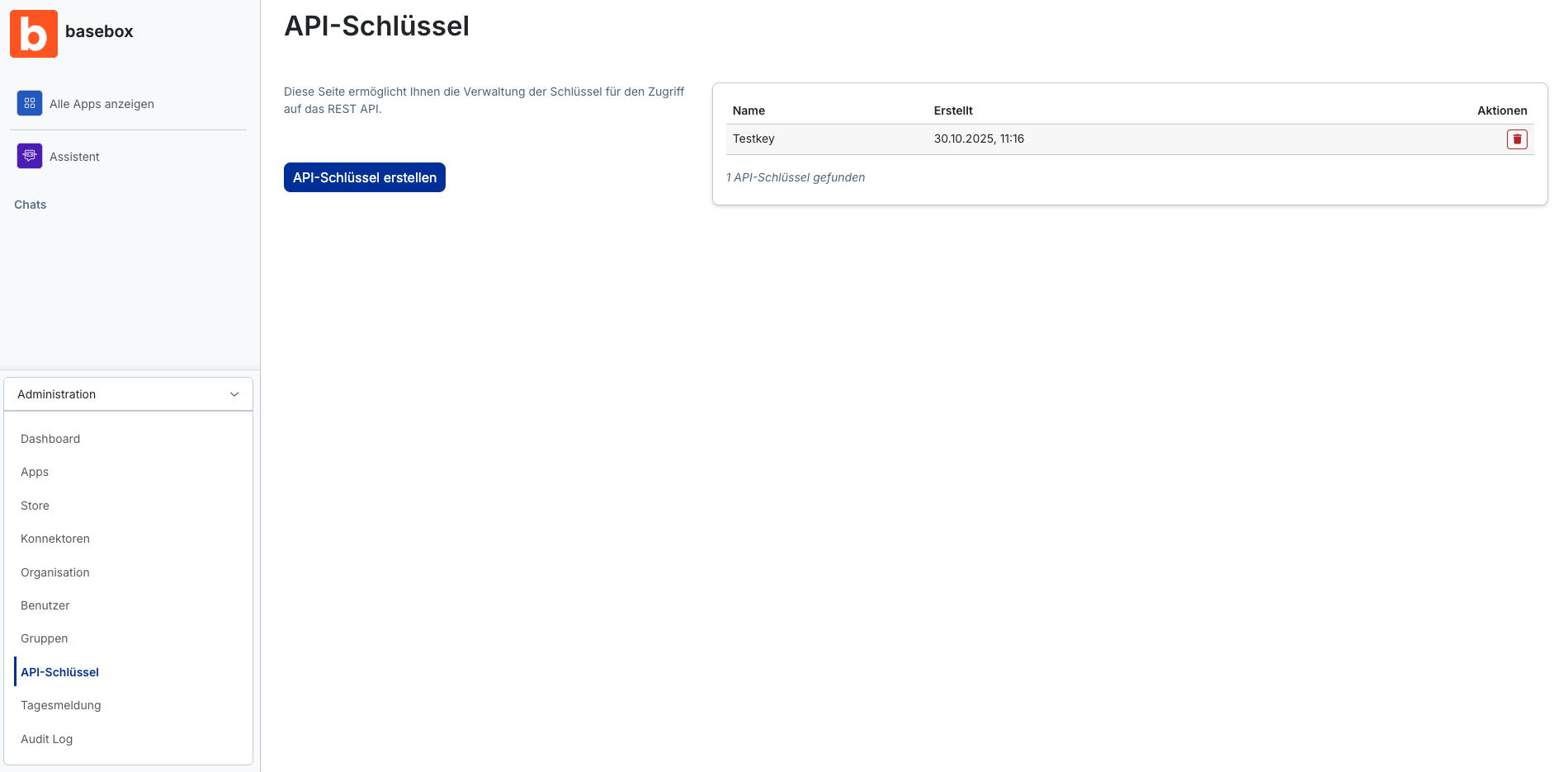
Open Administration → API Keys in the sidebar. The page shows:
- a short explanation of managing the keys,
- the "Create API key" button,
- a table of existing keys with the columns Name, Created (date/time) and Actions (delete via the trash can icon),
- the number of keys found.
The area only appears if your licence covers API use; on basebox Server also only if the Platform Operator has enabled the API.
What a key can do
| Access | Scope |
|---|---|
| Chat completions | POST /v1/chat/completions (OpenAI-compatible) |
| Models | GET /v1/models lists the models enabled for your organisation; exactly these can be used with the key |
| Reasoning | Can be controlled via the API if the model supports it |
| Tool calling | Function calls defined by the connecting application itself |
| Swagger UI | /v1/api/docs for testing |
A key is bound to the organisation in which it was created. Every request carries the key as a bearer token and the X-Realm header with the organisation's realm (Cloud: your subdomain; Server: usually primary).
What a key cannot do
- No administration. Users, groups, apps or settings cannot be managed via the API.
- No other organisations. A key only works in its organisation's realm.
- No user identity. Requests run on behalf of the organisation, not a person. Connectors with personal credentials are therefore not available to the API.
- No graded rights per key. All keys of an organisation have the same scope; there is no restriction to individual models or apps.
Creating, revoking and limiting API keys
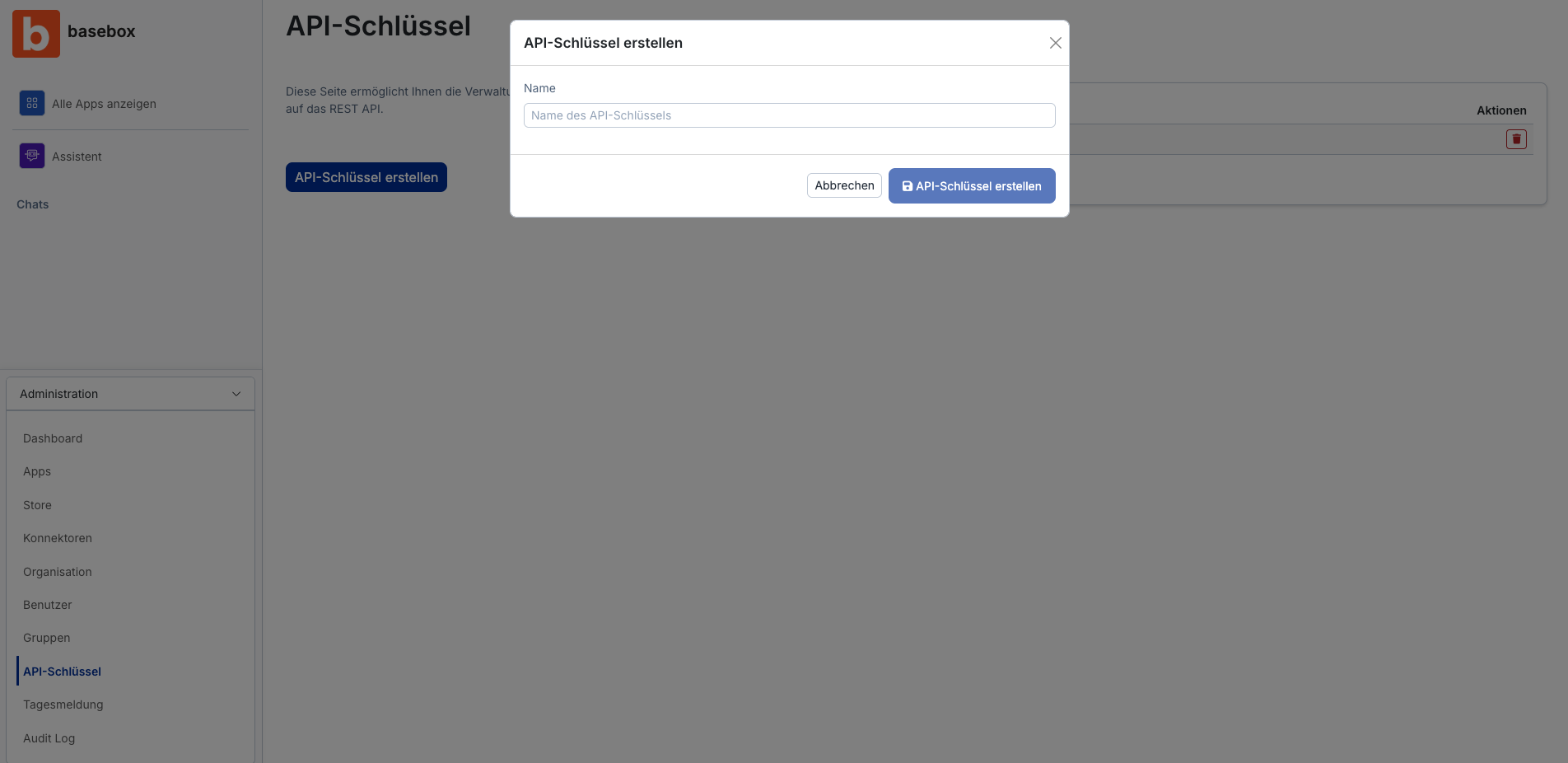
Creating an API key
- Open Administration → API Keys.
- Click "Create API key".
- In the dialog, give it a descriptive name, such as the connecting application ("crm-export", "vscode-team-a").
- Click "Create API key" (or "Cancel").
- Copy the key immediately. It is usually shown only once.
Deleting (revoking) an API key
- Find the key in the table.
- Click the trash can icon in the Actions column.
The key becomes invalid immediately; applications using it lose access.
Limiting access
Because keys cannot be restricted individually, you control access through number, assignment and lifetime:
- One key per application. That way you see in the table what belongs to what and can revoke selectively.
- Hand out only to responsible people. Whoever receives the key is responsible for storing it securely (password manager, environment variable, never in Git).
- Review regularly. Check the Created column and delete keys whose application is no longer running.
- Watch consumption. The Dashboard shows use of the OpenAI-compatible API separately from the web interface. Unusual spikes are a reason to replace a key.
- Rotation. Create a new key, enter it in the application, delete the old one.
A key works like an organisation password
A key is a password for your organisation
Whoever holds the key can make requests and consume tokens on behalf of your organisation. Do not pass it on, store it securely and revoke it immediately on any suspicion.
Deletion cannot be undone
A deleted key cannot be restored. All applications using it stop working.
Note
- Only administrators can create and delete API keys.
- Your organisation's system prompt also applies to requests via the API.
- The organisation's limits also apply to requests via the API, see Organisation → Limits.
- An invalid key returns an authentication error (401); a missing licence or permission a 403. Details: Error handling.
- For Anthropic models, basebox adds no additional instructions via the API.
Frequently asked questions
Who may create API keys? Only administrators of your organisation.
Can I allow a key only one specific model? No. A key can use all models available to the organisation, see Default model.
Can I see which requests were made with which key? The dashboard shows the organisation's total API consumption. A breakdown per key is currently not available in the interface.
Does a key expire? No, keys are valid until deleted. Plan rotation yourself.
Can I restore a deleted key? No. Create a new one if needed.
Does SSO sign-in apply to the API? No. The API uses API keys.
Next step: Quickstart: first request via the API · OpenAI-compatible API
Need help? Contact support