Licensed to be used in conjunction with basebox, only.
// ai chat
Chat history & data
Your chats are stored locally in your browser's database. They are only available in this browser on this device and are not synchronized between devices.
If an administrator of your organization sets the Audit Log Level to "High", chats are additionally recorded in the audit log and then also live on your organization's server. Details: Where is my data?
What is stored?
- Your inputs and the AI's responses – in your browser
- Chat titles and timestamps – in your browser
- Files you attach in the chat – temporarily, during use
- Files in app knowledge bases – on your organization's server, until they are removed
Each browser stores its chats separately. If you switch browser or device, you see different chats there.
Search finds chats by title and content
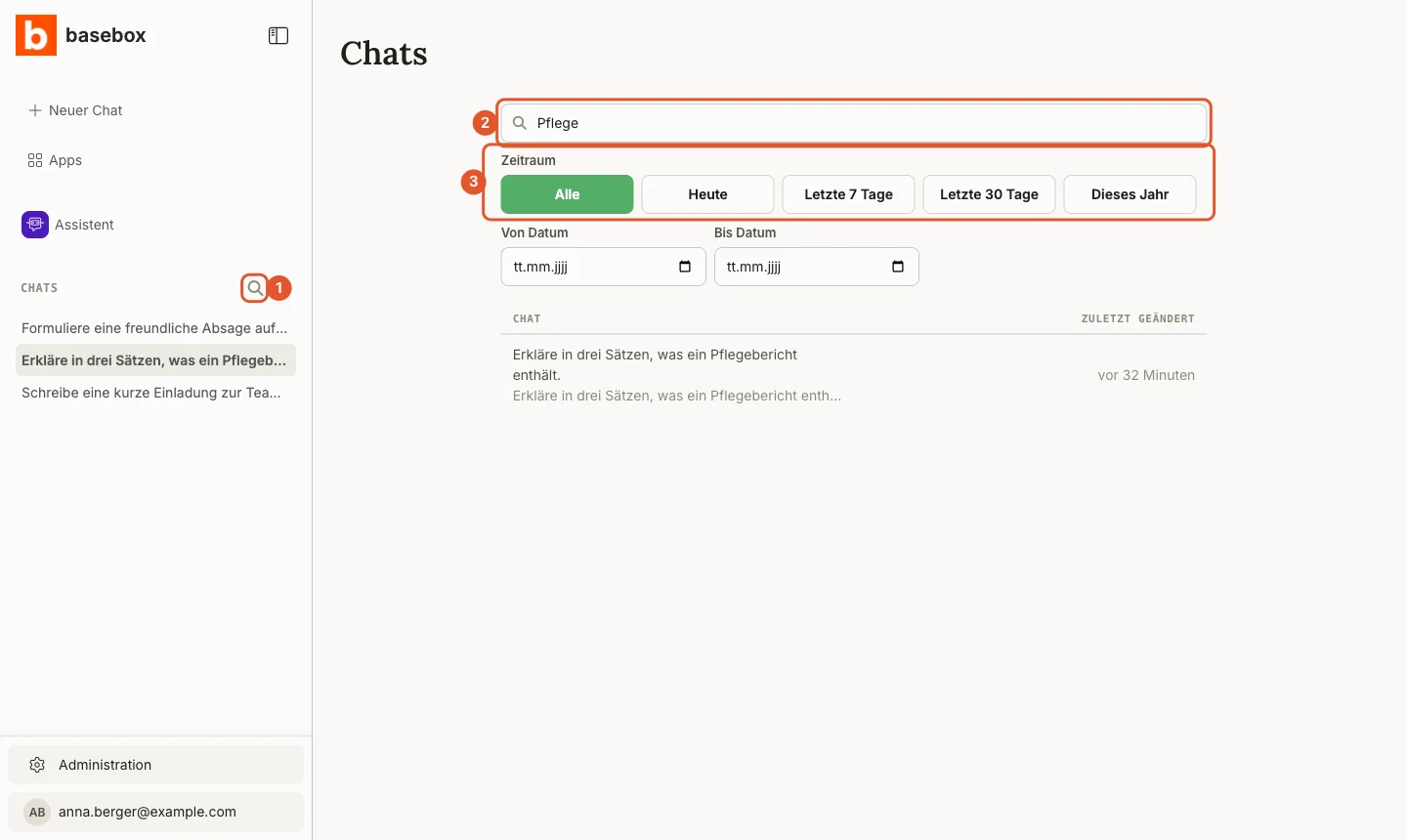
- Move the mouse over the Chats heading in the sidebar and click the magnifying glass (1), tooltip Search chats.
- Enter a term in the Search in title and chat content field (2). basebox searches the titles and the text of your chats.
- Narrow down the Period if needed (3): All, Today, Last 7 days, Last 30 days, This year, or From Date and To Date.
- Click a result to open the chat.
The search only finds chats in this browser, because chats are stored locally.
Deleting chats
Delete a single chat
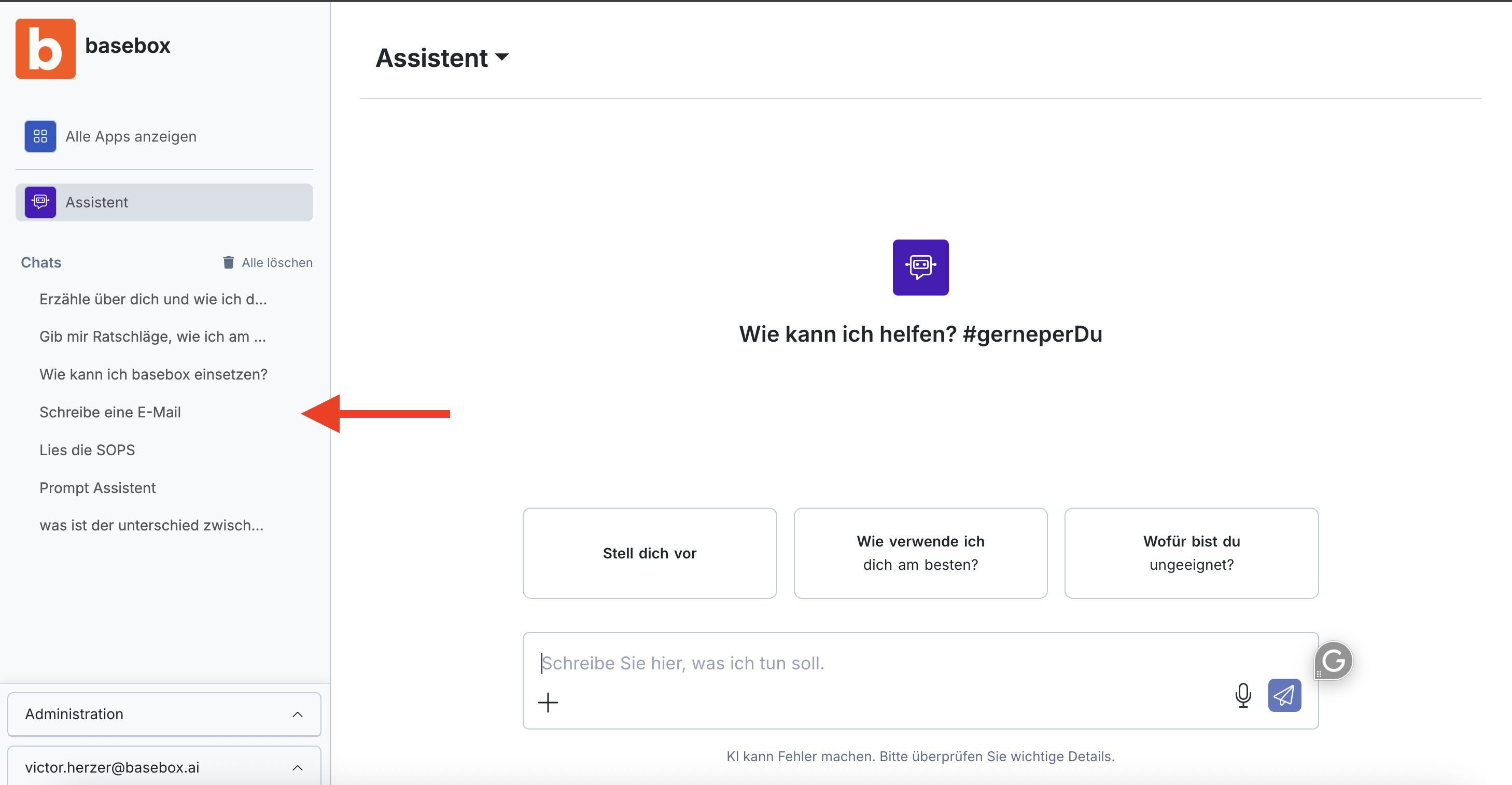
- In the sidebar under Chats, move the mouse over the chat.
- Click the trash can icon (1). The pen icon next to it renames the chat.
Delete all chats
- Click the trash can icon (2) next to the Chats heading, tooltip Delete all chats.
- Confirm the prompt.
Deleted chats cannot be recovered
Chats are stored only in your browser. Deleting your browser data for basebox also removes all chats. Back up important results first: Creating a chat backup.
basebox does not use your chats further
What basebox does not do with your chats:
- No sharing – basebox does not pass your chats on to third parties. What goes to an AI model to produce an answer, or to a search provider with web search, is described under Where is my data?
- No training – your conversations are not used for AI training.
- No analysis – basebox does not read your conversations.
Frequently asked questions
Can I sync my chats between devices? No. You can transfer important content manually, see Creating a chat backup.
What happens if I switch browsers? Your chats won't be available in the new browser, since they're stored locally.
Is my data used for AI training? No, basebox does not use your conversations to train AI models.
Can basebox recover my deleted chats? No. Your chats live in your browser; basebox has no copy to restore them from. If your organization records chats in the audit log (Audit Log Level "High"), that serves your organization's logging, not recovery.
Next step: Creating a chat backup
Need help? Contact support