Copyright © 2022-2026 basebox GmbH, all rights reserved.
Licensed to be used in conjunction with basebox, only.
Licensed to be used in conjunction with basebox, only.
// privacy
Cloud or On-Premises
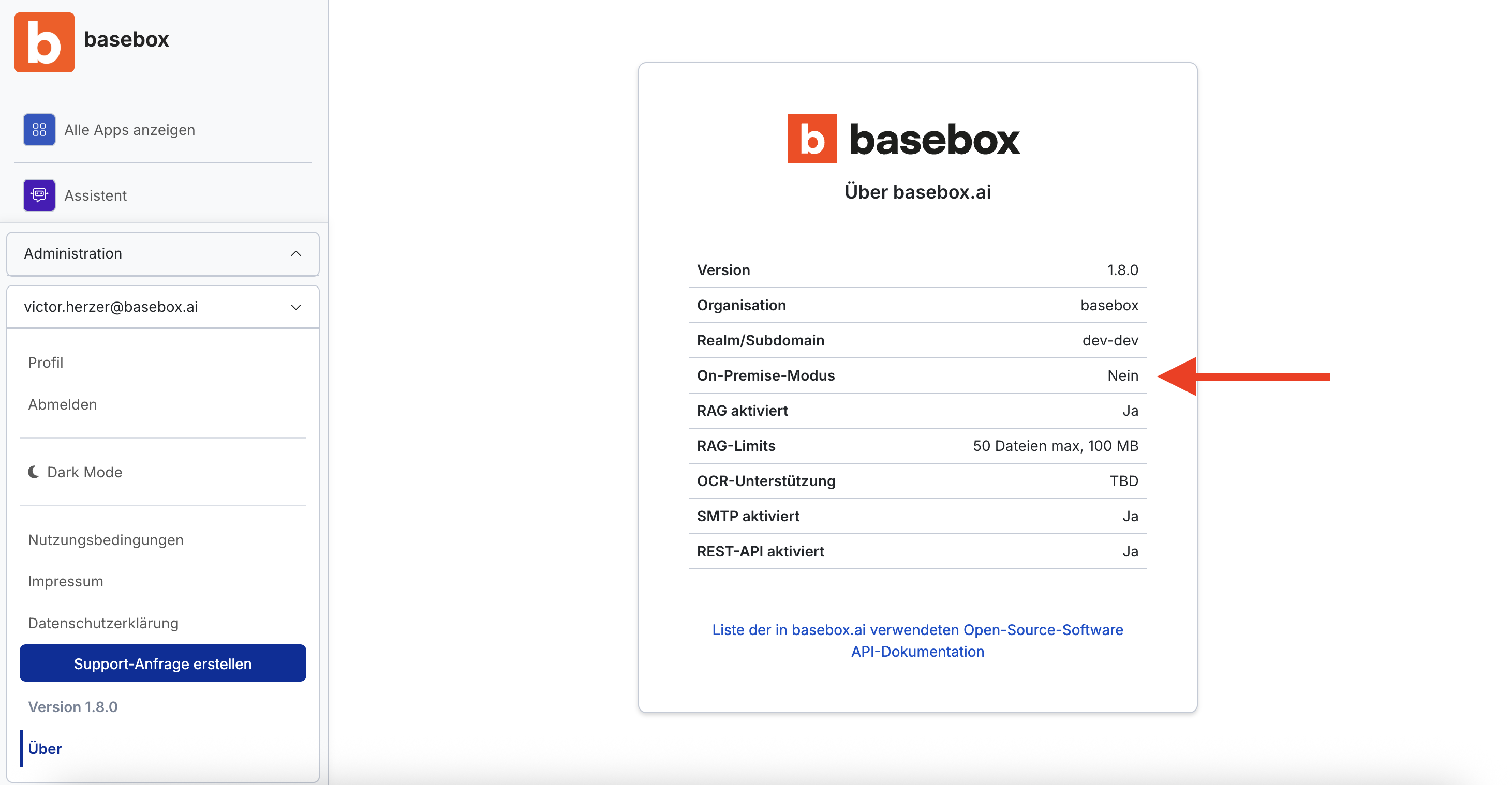
Checking your version
Here's how to find out which version you're using:
- Click the email icon in the bottom left
- Select "About"
- Check the "On Premise: Yes / No" entry
Differences at a glance
Cloud version (On Premise: No)
- Runs on basebox servers
- Accessible from anywhere with an internet connection
- Automatic updates
- Comparable to web applications like Google or LinkedIn
On-Premises (On Premise: Yes)
- Runs on the company's own servers
- Accessible only within the company network
- Updates are carried out by internal IT
- Data stays entirely within the organization
Note
Both versions offer the same features and the same interface. Handling of chat data is also identical.
Need help? Contact support