Licensed to be used in conjunction with basebox, only.
// referenz
basebox 1.7.0: Das Developer-First-Release
Gilt für
Produkt: Cloud · Server · Zielgruppe: Entwickler / Integrator · Administrator
Programmierschnittstellen für Entwickler
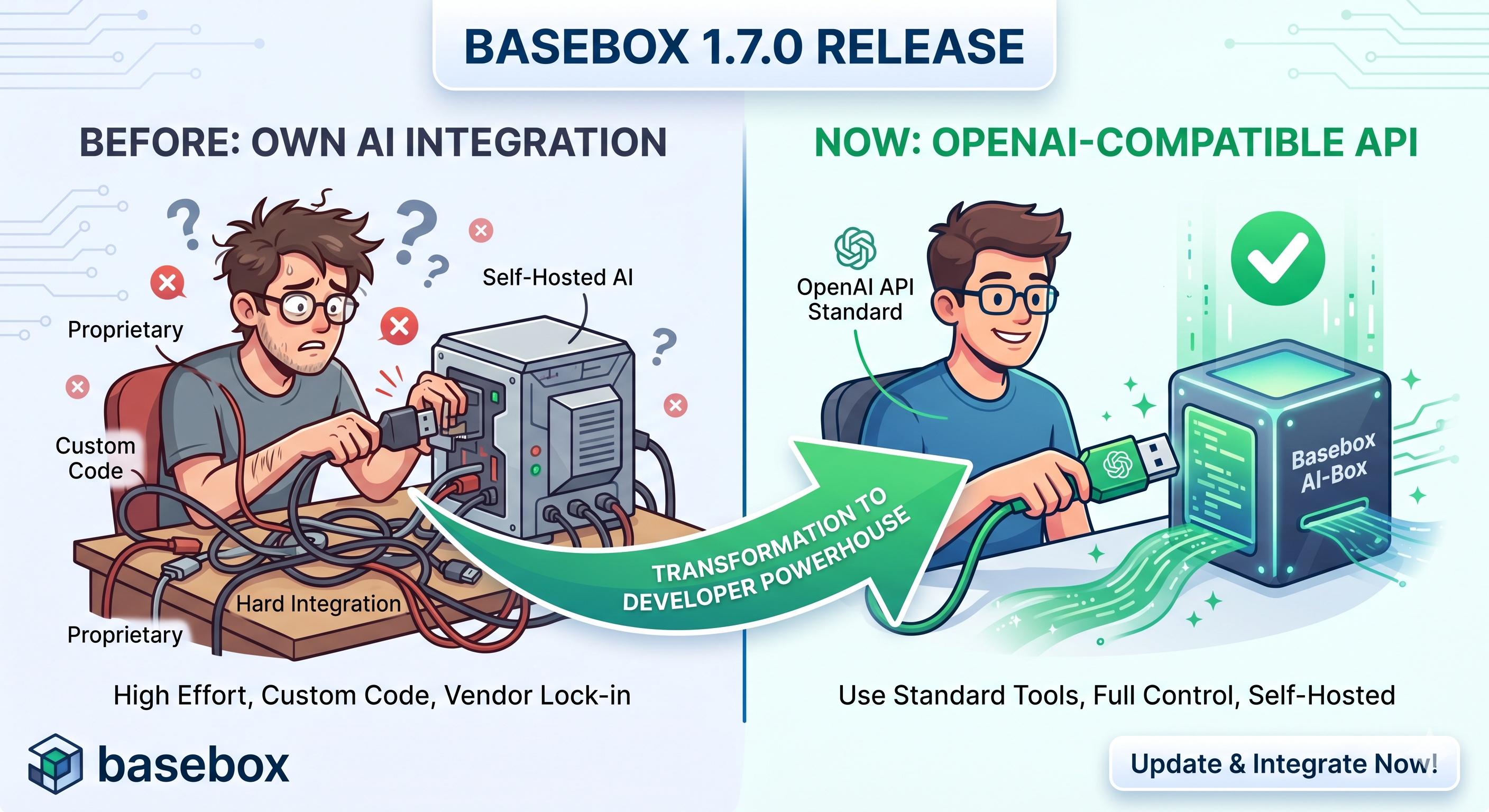
basebox 1.7.0 richtet sich vor allem an Entwickler. Mit diesem Release lassen sich KI-gestützte Anwendungen auf basebox aufbauen; Datenschutz, Sicherheit und Kontrolle bleiben dieselben wie in der Oberfläche.
🚀 Überblick
basebox 1.7.0 stellt auf API-first-Entwicklung um. Entwickler, Integratoren und Power-User können mit diesem Release eigene Anwendungen auf basebox aufbauen.
Die drei wichtigsten Änderungen:
✅ OpenAI-kompatible API – Drop-in-Ersatz für OpenAI in den meisten Werkzeugen
✅ Interaktive Dokumentation – APIs direkt im Browser mit Swagger UI testen
✅ Verbesserte Benutzererfahrung – Bessere Mobile-Unterstützung, Gruppenverwaltung und Admin-Werkzeuge
🔌 OpenAI-kompatible API
Was das für Sie bedeutet
Die neue OpenAI-kompatible API (/v1-Endpunkte) macht basebox in den meisten Szenarien zum Drop-in-Ersatz für die OpenAI-API. Werkzeuge, die für die OpenAI-API gebaut sind, lassen sich damit ohne Bindung an einen Anbieter nutzen.
Zentrale Fähigkeiten:
- Chat Completions (
/v1/chat/completions) mit Streaming-Unterstützung - Model Discovery (
/v1/models) für dynamische Anwendungskonfiguration - Tool Calling mit automatischer Behandlung von vLLM-Endpunkten
- Mandantenfähige Authentifizierung, die Ihre Organisationsgrenzen wahrt
Integrationsbeispiele aus der Praxis
OpenAI in bestehendem Code ersetzen:
# Before (OpenAI)
curl https://api.openai.com/v1/chat/completions \
  -H "Authorization: Bearer sk-..." \
  -d '{"model": "gpt-4", "messages": [...]}'

# After (basebox)
curl https://your-basebox.com/v1/chat/completions \
  -H "Authorization: Bearer YTIz...ZjYw" \
  -d '{"model": "claude-sonnet-4", "messages": [...]}'
Mit gängigen Werkzeugen integrieren:
- IDE-Erweiterungen: VS Code, Cursor, Zed Editor
- CLI-Werkzeuge: OpenClaw, Goose, Continue.dev
- Eigene Anwendungen: Jedes Werkzeug, das das OpenAI-API-Format unterstützt
Kompatibilitätshinweise
Unterstützt wird der Kern der OpenAI-API-Spezifikation:
✅ Vollständig unterstützt:
- Chat Completions (Streaming und Nicht-Streaming)
- Modellliste und Metadaten
- Nachrichtenrollen (user, assistant, system, tool)
- Tool Calling mit Funktionsdefinitionen
- Temperature- und Token-Steuerung
⚠️ Nicht unterstützt:
- Anbieterspezifische Funktionen (wie DALL-E-Bildgenerierung)
- Einige fortgeschrittene OpenAI-spezifische Parameter
- Legacy-Completion-Endpunkte (wir verwenden Chat Completions)
💡 Test empfohlen: Nutzen Sie unsere Swagger UI unter /v1/api/docs, um die Kompatibilität mit Ihrem konkreten Anwendungsfall vor dem Produktiveinsatz zu prüfen.
📖 Interaktive API-Dokumentation mit Swagger UI
APIs direkt im Browser testen
Neu ist eine interaktive API-Dokumentation. In der Swagger UI testen Sie die API, ohne Code zu schreiben.
Was Sie bekommen:
- Interaktives Testen: Echte API-Anfragen direkt aus der Dokumentation senden
- Schema-Erkundung: Request-/Response-Formate mit Live-Beispielen verstehen
- Authentifizierungstest: API-Tokens und Berechtigungen prüfen
- Model Discovery: Genau sehen, welche Modelle in Ihrer Instanz verfügbar sind
So erreichen Sie die Swagger UI
- Funktion aktivieren in Ihrer basebox-Konfiguration (bewusst optional)
- Navigieren zu
https://your-basebox.com/v1/api/docs - Authentifizieren mit Ihrem API-Token
- Testen – Endpunkte direkt ausprobieren
Geeignet für:
- Entwickler, die Integrationsansätze validieren
- DevOps-Teams, die API-Gesundheit und -Fähigkeiten überwachen
- Produktteams, die verstehen wollen, was mit Ihrer KI-Infrastruktur möglich ist
- Support-Teams, die Integrationsprobleme analysieren
Immer aktuelle Dokumentation
Die Swagger UI wird dynamisch aus Ihrem basebox-Deployment erzeugt:
- Live-Modellliste – Genau die Modelle, die in Ihrer Instanz konfiguriert sind
- Antworten Ihrer Modelle – Mit Ihren konfigurierten Modellen testen und deren Ausgaben sehen
- Korrekte Schemata – Die Dokumentation entspricht exakt Ihrer API-Version
- Direkte Rückmeldung – Authentifizierungs- oder Konfigurationsprobleme beim Testen erkennen
🛠 Verbesserte Entwicklererfahrung
Message-of-the-Day-System
Administratoren können wichtige Updates, Wartungsfenster oder Funktionsankündigungen jetzt direkt über die Plattform kommunizieren – mit dem neuen Message-of-the-Day-System.
Funktionen:
- Systemweite Ankündigungen, sichtbar für alle Nutzer
- Vom Admin konfigurierbar mit Rich-Text-Unterstützung
- Schließbare Benachrichtigungen, die Arbeitsabläufe nicht unterbrechen
- Mehrsprachigkeit für internationale Organisationen
Betriebswerkzeuge
Server-Readiness-Checks: Neue Monitoring-Skripte helfen Betriebsteams, die Dienstgesundheit zu prüfen, bevor Verkehr auf Instanzen geleitet wird.
Erweitertes Audit-Logging: Audit-Trails mit SSE-Streaming, konfigurierbaren Log-Levels und automatischer Partitionsverwaltung für Compliance und Fehlersuche.
👥 Gruppenverwaltung und Berechtigungen
Vereinfachte Administration
Änderungen bei der Verwaltung von Benutzern und Berechtigungen:
Schnellere Gruppenerstellung:
- Enter drücken, um eine neue Gruppe anzulegen
- Bessere Fehlermeldungen bei doppelten Namen
- Live-Suche findet Benutzer und Gruppen während der Eingabe
- Mitgliederzahlen auf einen Blick
Klarere Berechtigungen:
- Dropdown-Menüs für Berechtigungsänderungen
- Bezeichnungen: „Read Only" vs. „Read & Write"
📱 Mobile und UI
Bessere mobile Erfahrung
basebox lässt sich auf Smartphones und Tablets bedienen:
Touch-Optimierungen:
- Aktionsschaltflächen funktionieren korrekt auf Smartphones und Tablets
- Chat-Eingabe scrollt korrekt mit mobilen Tastaturen
- Seitenleisten-Navigation passt sich kleinen Bildschirmen an
- App-Editor auf Tablets nutzbar
Konsistentes Design:
- Schaltflächen verhalten sich auf Desktop und Mobil gleich
- Bessere Fehlermeldungen auf kleinen Bildschirmen
- Größere Touch-Ziele
🔒 Sicherheit und Infrastruktur
Sicherheits-Scanning
Trivy-Integration: Automatisiertes Frontend-Sicherheits-Scanning erkennt Schwachstellen in Abhängigkeiten und liefert umsetzbare Hinweise zur Behebung.
Abhängigkeits-Updates: Kritische Abhängigkeiten aktualisiert, darunter Keycloak (v26.5.6) und sicherheitsrelevante Pakete, um aktuelle Schwachstellen zu adressieren.
Authentifizierung und Sitzungsverwaltung
Verbesserte Authentifizierung:
- Verbesserte Benutzersynchronisation mit bestehenden Konten
- Bessere Sitzungsverwaltung und Logout-Verhalten
- Klarere Fehlermeldungen bei fehlgeschlagener Authentifizierung
- Mandantenfähigkeit mit Isolierung der Organisationen
🔧 Technische Verbesserungen unter der Haube
Verbesserungen unter der Haube
Architektur: Chat Completions und Modellbehandlung wurden refaktoriert, um Zuverlässigkeit und Wartbarkeit zu verbessern.
Bessere Provider-Unterstützung:
- Verbessertes Tool Calling über alle KI-Provider
- Verbessertes Streaming für Echtzeit-Antworten
- Bessere Fehlermeldungen, wenn etwas schiefgeht
- Zuverlässigere Verbindungen zu externen KI-Diensten
🛠 Integrationsbeispiele aus der Praxis
IDE-Integration mit Goose
basebox mit Entwicklungs-Workflows verbinden:
# Configure Goose to use your basebox instance
goose config set llm.provider=openai
goose config set llm.api_base=https://your-basebox.com/v1
goose config set llm.api_key=YTIz...ZjYw
goose config set llm.model=claude-sonnet-4
Agentenentwicklung mit OpenClaw
Autonome Coding-Agenten bauen, angetrieben von den KI-Modellen in Ihrer basebox:
# Add basebox as a custom provider in OpenClaw
openclaw config set models.providers.basebox '{
  "baseUrl": "https://your-basebox.com/v1",
  "apiKey": "YOUR_TOKEN",
  "api": "openai-completions"
}'
Integration in eigene Anwendungen
basebox mit Standard-HTTP-Clients in Ihre Anwendungen integrieren:
// Node.js example
const response = await fetch('https://your-basebox.com/v1/chat/completions', {
  method: 'POST',
  headers: {
    'Authorization': 'Bearer YOUR_TOKEN',
    'Content-Type': 'application/json'
  },
  body: JSON.stringify({
    model: 'claude-sonnet-4',
    messages: [{role: 'user', content: 'Hello!'}]
  })
});
🚀 Erste Schritte mit 1.7.0
Für Entwickler
- API-Token holen aus Ihrem basebox-Benutzerprofil (oder bei Ihrem Admin anfragen)
- Verbindung testen mit curl oder unserer Swagger UI unter
/v1/api/docs - Mit Ihren Werkzeugen integrieren anhand der Beispiele im OpenAI-API-Benutzerhandbuch
- Integrationen erkunden mit IDEs über unseren IDE-Integrationsleitfaden
Für Administratoren
- Neue Admin-Funktionen erkunden – Erweiterte Gruppenverwaltung und Message-of-the-Day-System
- Swagger UI aktivieren – Entwicklern das Testen der APIs unter
/v1/api/docsermöglichen - Sicherheits-Updates prüfen – Aktualisierte Abhängigkeiten und Sicherheits-Scanning
- Betriebswerkzeuge prüfen – Neue Readiness-Checks und Audit-Logging
🔮 Ausblick
Worauf 1.7.0 aufbaut:
🔌 Ökosystem – Über die OpenAI-kompatible API lassen sich bestehende KI-Werkzeuge und -Bibliotheken anbinden, die das OpenAI-API-Format unterstützen
🛠 Entwicklererfahrung – Interaktive Dokumentation und Tooling für Anwendungen auf basebox
🏢 Enterprise – Erweitertes Audit-Logging, Monitoring und Zuverlässigkeitsfunktionen für große Deployments
🔄 Provider-Flexibilität – Die verbesserte Architektur erleichtert das Hinzufügen neuer KI-Provider und Deployment-Muster
📋 Vollständige Funktionsübersicht
🆕 Neue Funktionen
- OpenAI-kompatible API – Drop-in-Ersatz für die meisten OpenAI-Integrationen
- Swagger UI – Interaktives API-Testen unter
/v1/api/docs - Message of the Day – Admin-Ankündigungen in der gesamten Plattform
- Erweiterte Gruppenverwaltung – Schnellere Benutzerorganisation und Berechtigungen
- Mobile Optimierung – Touch-freundliche Oberflächenverbesserungen
- Sicherheits-Scanning – Automatisierte Schwachstellenerkennung und Updates
🔧 Fehlerbehebungen & Verbesserungen
- Bessere Fehlermeldungen – Präzisere Rückmeldung, wenn etwas schiefgeht
- Mobile Kompatibilität – Aktionsschaltflächen und Touch-Interaktionen korrigiert
- Authentifizierung – Verbesserte Keycloak-Integration und Sitzungsbehandlung
- Performance – Schnellere Suche, bessere Datenbankmigrationen
- Sicherheit – Aktualisierte Abhängigkeiten und erweitertes Audit-Logging
Nächste Schritte:
- Beginnen Sie mit dem OpenAI-API-Benutzerhandbuch
- Probieren Sie die interaktive Swagger UI unter
/v1/api/docsauf Ihrer basebox-Instanz - Integrieren Sie Ihre bevorzugten Entwicklungswerkzeuge mit unserem IDE-Integrationsleitfaden
Fragen oder Feedback? Ihr basebox-Administrator hilft Ihnen beim Einstieg in die neuen Funktionen, oder wenden Sie sich für konkrete Integrationsszenarien an unser Support-Team.
basebox-Team
April 2026
P.S. – Sie wollen alles Neue sehen? Lesen Sie das OpenAI-API-Handbuch und die IDE-Integrationstutorials. Die Swagger UI unter /v1/api/docs auf Ihrer Instanz zeigt, welche Endpunkte und Modelle verfügbar sind.